Accessing RISe
Login to Existing RISe Account
Self-Register RISe Account (UBC Staff/Faculty/Students ONLY)
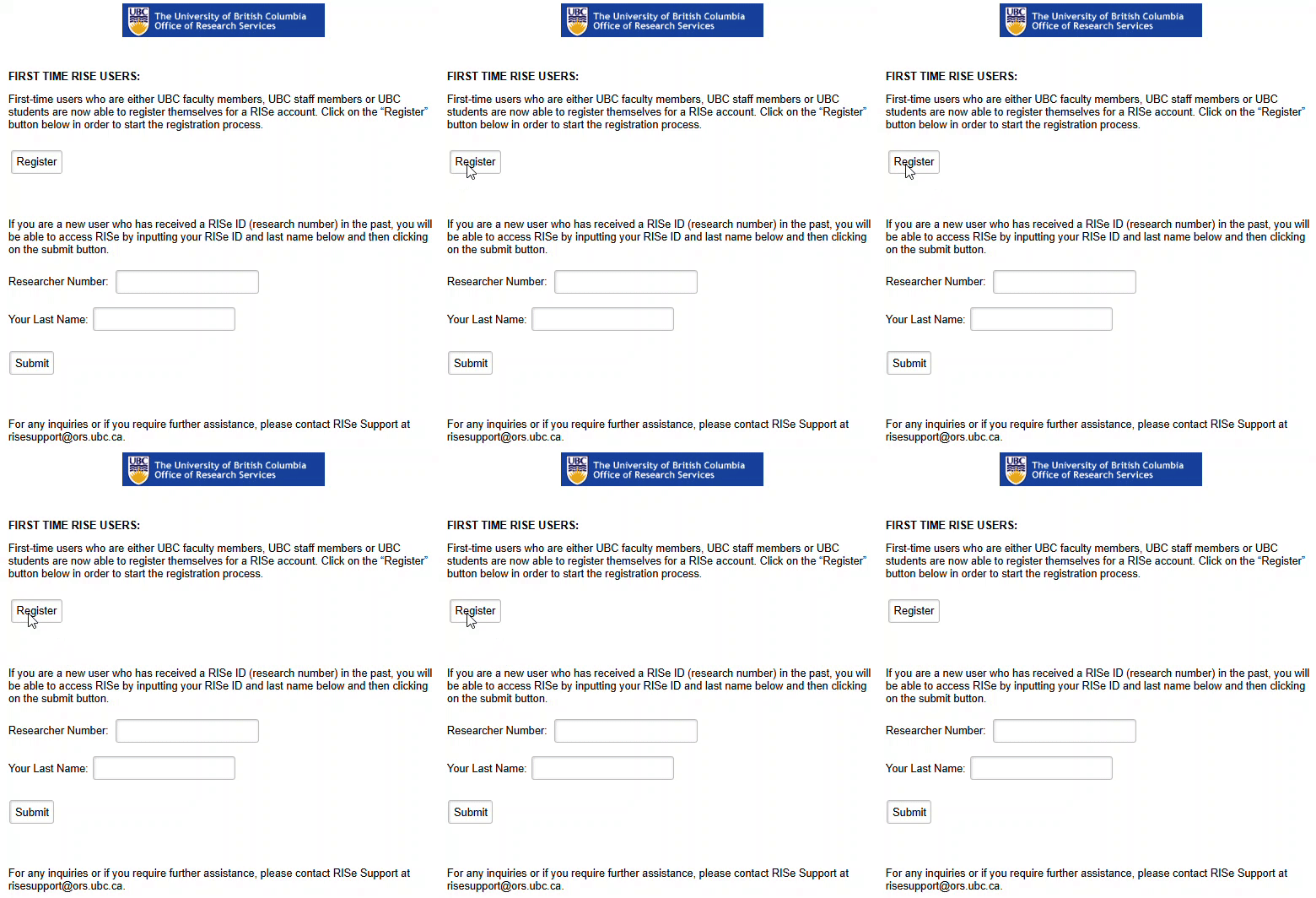
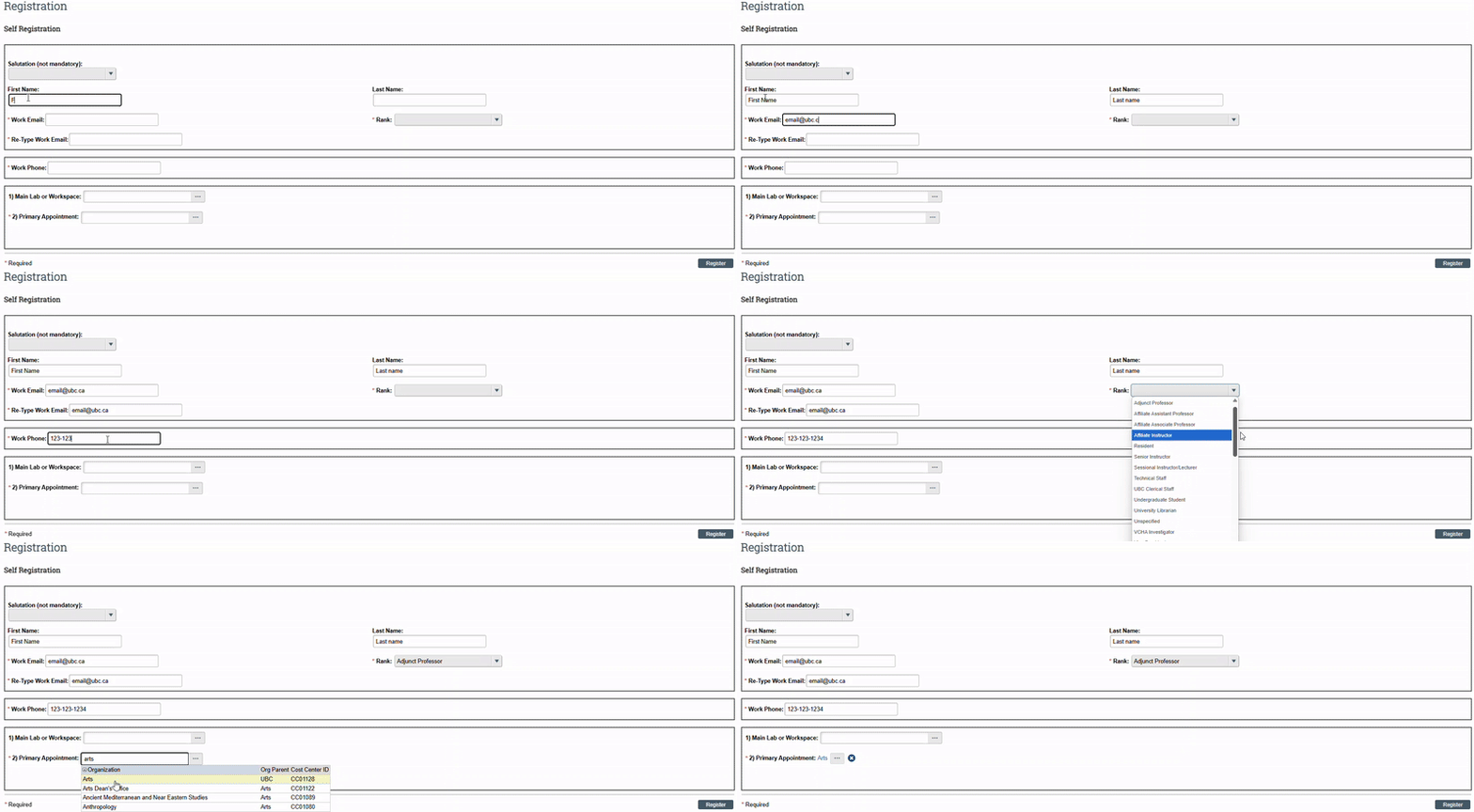
Self-registration for RISe accounts is recommended for UBC staff, faculty, and students.
When you log in with your CWL linked to a valid UBC Employee ID or UBC Student ID, the system will automatically associate your credentials and allow for self-registration.
If the "Register" Button does not show up, your CWL used to login might not be directly tied to a UBC Employee ID or Student ID. (Please use the "Register RISe account (UBC Students)" steps below)
| ![]() |
| ![]() |
|
|
| ![]() |
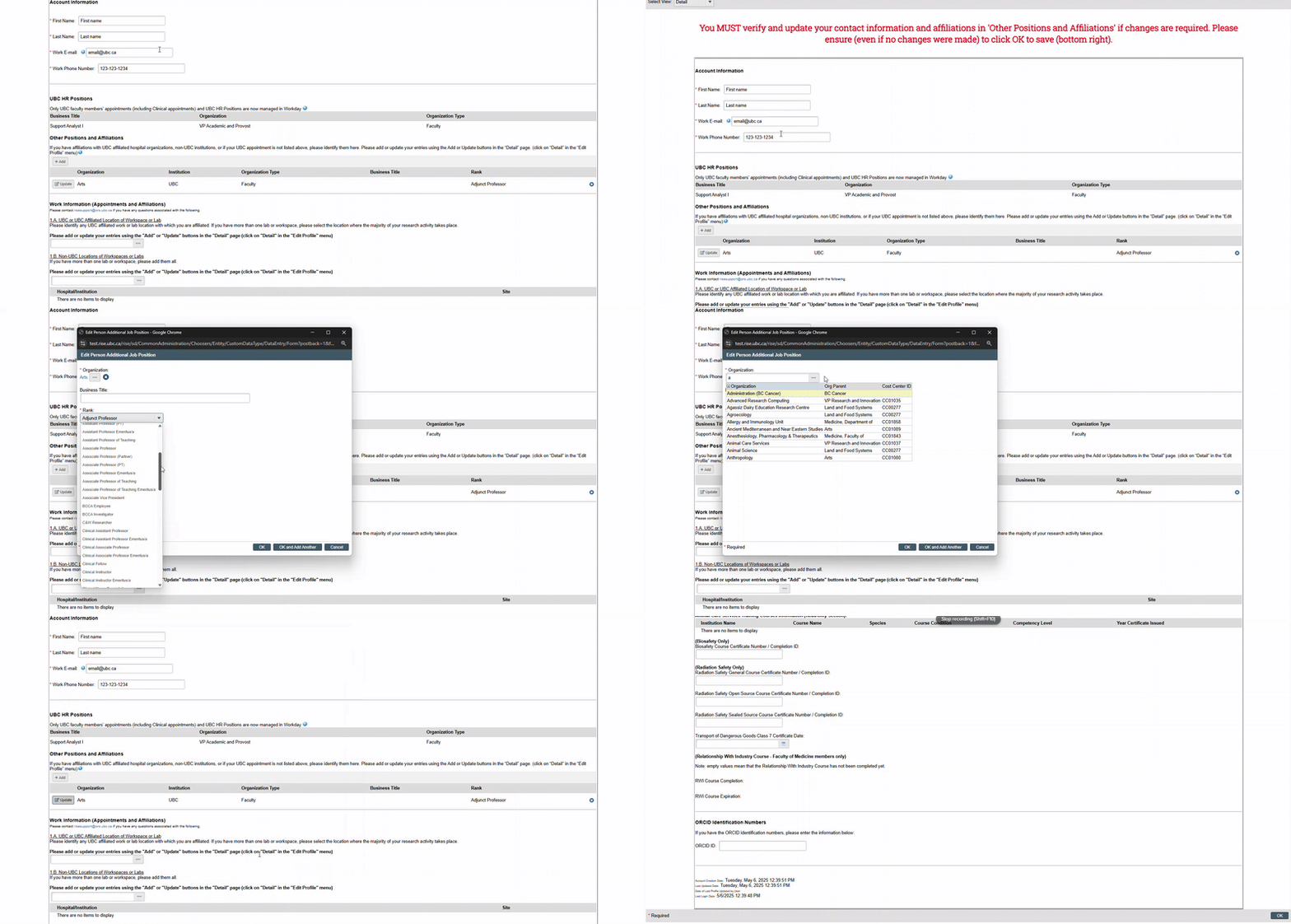
Should you require more assistance with registering your RISe profile, please check the below registration tabs for instructions. |
Register RISe account (UBC Staff and Faculty)
We recommend starting with self-registration. If you encounter any issues, please follow the steps below:
First-time users who are UBC Faculty or Staff should be able to login to RISe with their assigned UBC Employee/Staff CWL username and password.
If you are unable to login, please email the below information to risesupport@ors.ubc.ca.
- Preferred First Name:
- Last Name:
- UBC Email (MANDATORY for RISe / Please avoid Gmail and Yahoo Emails due to their internal restrictions):
- Telephone Number:
- Rank/Title/Position:
- Dept/UBC Affiliation:
- UBC Employee ID (If available):
- UBC Student ID (If available):
- UBC CWL Username (MANDATORY for RISe access):
(If you were not assigned one by UBC HR, you can create one at https://activate.id.ubc.ca/iamweb/ - Select Faculty or Staff Account, you will require your UBC Employee ID)
Register RISe account (UBC Students)
We recommend starting with self-registration. If you encounter any issues, please follow the steps below:
First-time users who are UBC Students should be able to login to RISe with their assigned UBC Student CWL username and password.
Please email the below information to risesupport@ors.ubc.ca
- Preferred First Name:
- Middle Initial (If available):
- Last Name:
- UBC or Institution Email (MANDATORY for RISe / Please avoid Gmail and Yahoo Emails due to their internal restrictions):
- Telephone Number:
- Rank/Title/Position/Undergraduate/Graduate:
- Dept/UBC Affiliations:
- Additional Positions/Affiliations (Student/Other Universities/Employment)
- UBC Student number (If available):
- UBC CWL Username (MANDATORY for RISe access):
(For Non-UBC Researchers, please create one at https://activate.id.ubc.ca/iamweb/ - Select Student Account when creating your CWL, you will require your UBC Student ID)
**If the user added does not require RISe access, CWL username does not need to be created.
Register RISe account (Non-UBC Researchers)
First-time users who are Non-UBC Students or Non-UBC Researchers can only create a RISe account through our RISe Support team.
Please email the below information to risesupport@ors.ubc.ca
Creating your CWL account is a preparatory step and separate from the RISe account creation. Once your CWL account is established, our team will proceed with creating your RISe account.
- Preferred First Name:
- Middle Initial (If available):
- Last Name:
- Institution Email (MANDATORY for RISe / Please avoid Gmail and Yahoo Emails due to their internal restrictions):
- Telephone Number:
- Rank/Title/Position:
- Additional Positions/Affiliations (Student/Other Universities/Employment):
- UBC CWL Username (MANDATORY for RISe access):
(For Non-UBC Researchers, please create one at https://activate.id.ubc.ca/iamweb/ - Select BASIC ACCOUNT when creating your CWL)
**If the user added does not require RISe access, CWL username does not need to be created.
Register RISe account (REB Committee or Board Members)
First-time users who are REB Committee or Board Members can only create a RISe account through our RISe Support team.
Please email the below information to risesupport@ors.ubc.ca
Creating your CWL account is a preparatory step and separate from the RISe account creation. Once your CWL account is established, our team will proceed with creating your RISe account.
- Preferred First Name:
- Middle Initial (If available):
- Last Name:
- Institution Email (MANDATORY for RISe / Please avoid Gmail and Yahoo Emails due to their internal restrictions):
- Telephone Number:
- Rank/Title/Position/Undergraduate/Graduate:
- Dept/UBC Affiliations:
- Additional Positions/Affiliations (Student/Other Universities/Employment)
- UBC Student number (If available):
- UBC CWL Username (MANDATORY for RISe access):
(For Non-UBC Researchers, please create one at https://activate.id.ubc.ca/iamweb/ - Select BASIC ACCOUNT when creating your CWL)
In order to grant you additional access roles to review submission to your institution, we will require your REB Chair / Administrator to email our team with:
- Approval of your REB access RISe account
- Another REB / Committee individual to mirror your access to
Login to RISe Extended Reporting
RISe Extended Reporting access will automatically activate after 24 hours from logging into your RISe account. ![]()
If you are unable to log into RISe Extended Reporting, please email us at risesupport@ors.ubc.ca
Register CWL Account (Separate from RISe account)
If you do not have a CWL account, follow these steps:
Creating your CWL account is a preparatory step and separate from the RISe account creation. Once your CWL account is established, our team will proceed with creating your RISe account.
- Go to https://activate.id.ubc.ca/iamweb/
- Click “Create a CWL Account”
- Follow the instructions for setting up a Standard CWL Account.
- UBC Faculty, Staff or Students should sign up as FACULTY, STAFF, or STUDENT.
- Non UBC employees are advised to select the BASIC Account.
- Complete your identification information and choose your own CWL username and password.
- Once your account has been created, you will be prompted to check your email for a confirmation message, whereupon you are expected to validate your email address.
- Once your CWL account has been created, please choose from the above options of registering for a RISe account
PLEASE NOTE:
Our RISe team is limited in our ability to assist with CWL Accounts. If you are unable to create a CWL account or require assistance resetting your CWL account, please contact UBC IT - Service.helpdesk@ubc.ca)
Please note: Response to requests may take up to 1-2 business days.
Should we experience higher than expected volume of requests, response times may take longer. We sincerely appreciate your patience as our team works to complete your requests!